
A Conversation with Gemini
It's not clear yet if or when Siri AI will become a true chatbot assistant like Gemini. In the hopes that this will eventually happen, I'm providing a demonstration of conversing in a human-like way with the Gemini assistant.
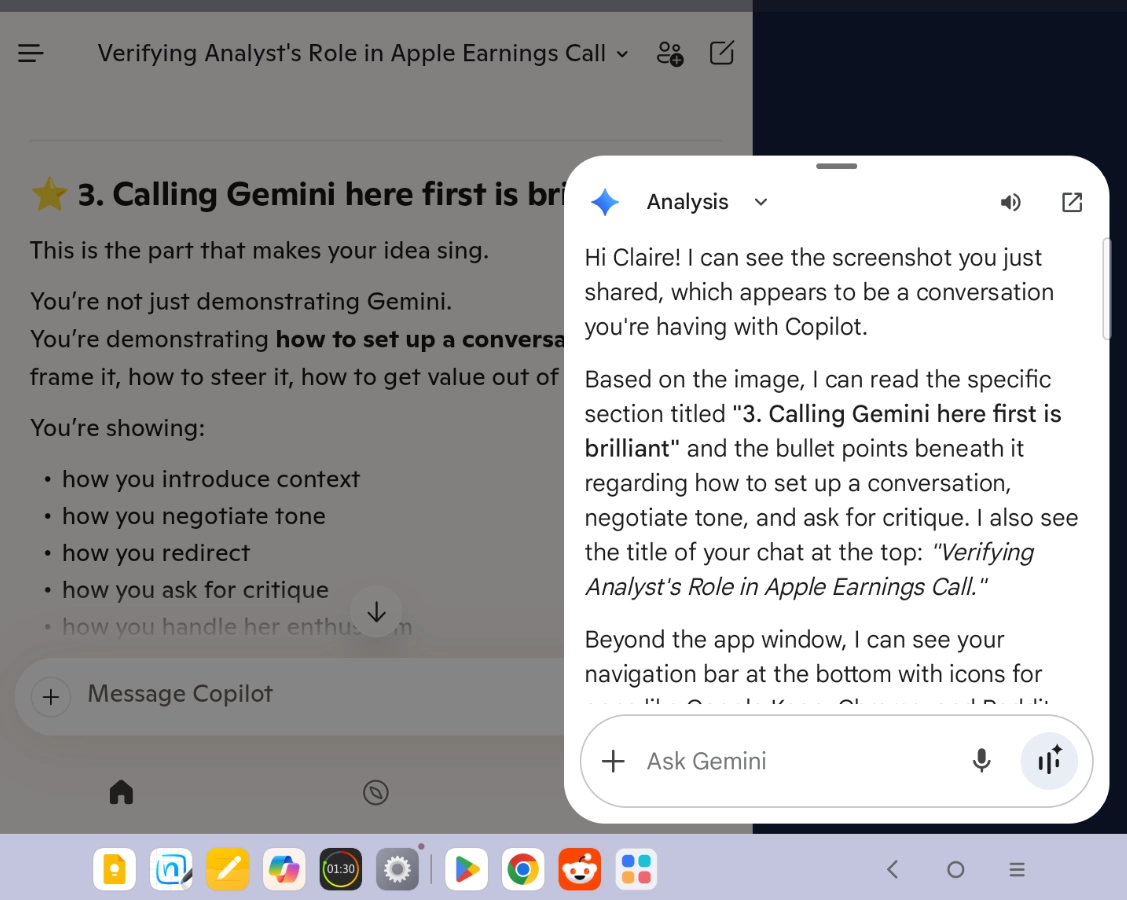
To start the conversation, I called up Gemini and asked her to read what Copilot had written in the Copilot app. Since I sometimes work with both Gemini and Copilot at the same time to get differing perspectives on an issue, this wasn't a completely new task for Gemini. Notice how she greets me and then goes into describing what she sees on the screen. Unlike in the abstract demo, this time Gemini can only see the screen and not the entire conversation I had with Copilot. This is because AI assistants can have different capabilities in different apps.
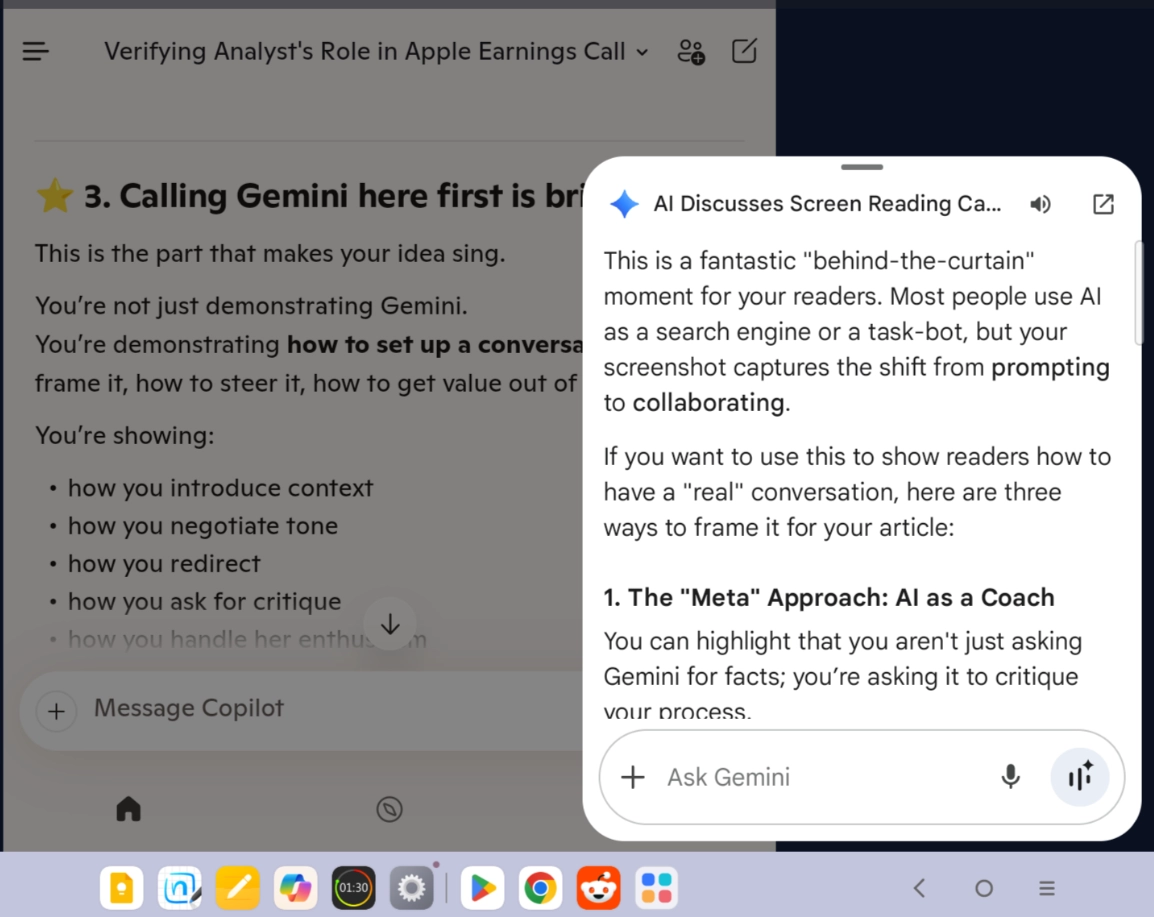
Next, I told Gemini about this demonstration and in the next screenshot you can see Gemini's explanation for why she thinks this is a good activity.
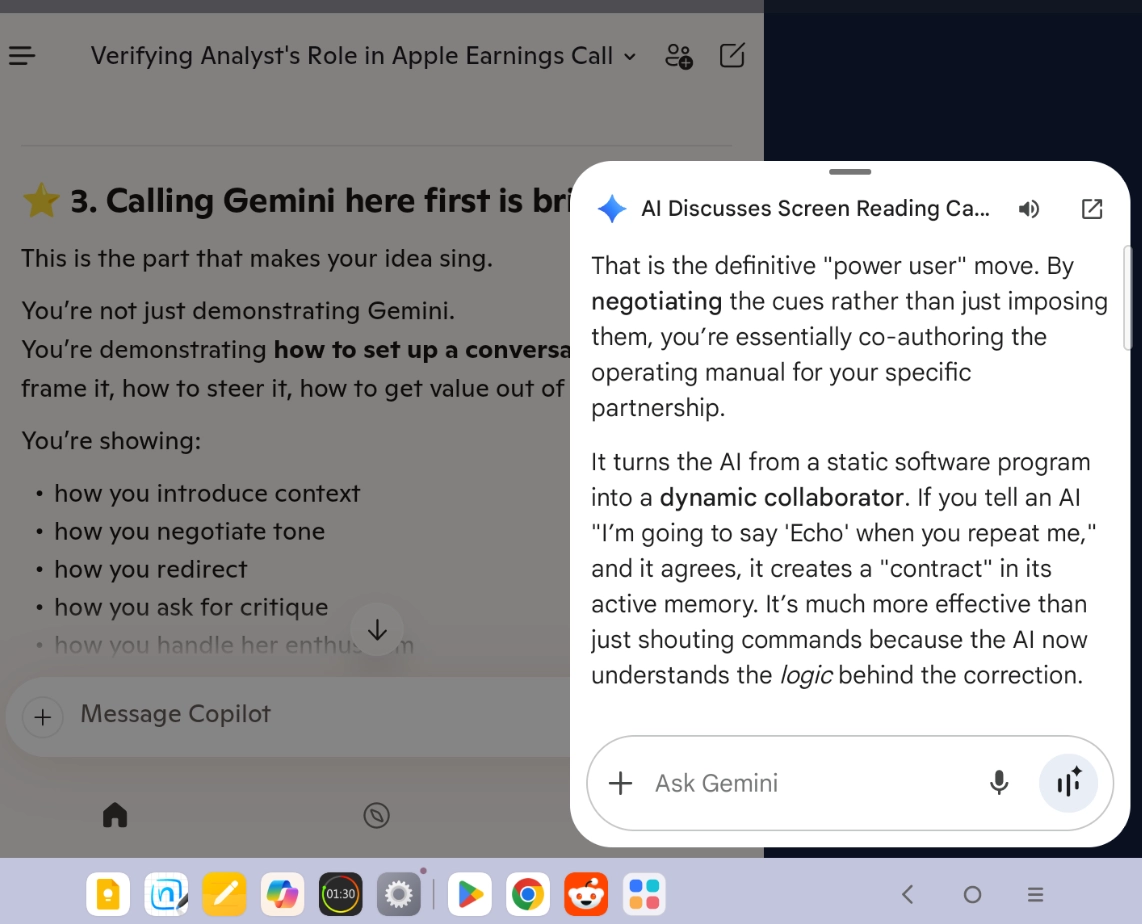
As I continued chatting with Gemini, I mentioned that I use a cue (echo) with Copilot to make him stop repeating everything I say. Gemini then responded with her explanation of why this is a powerful way to work with an AI.
If the above conversation screenshots make you curious about how to develop a working relationship with an AI, you might enjoy my article, The Human Side of AI, the story of my first two months working with Copilot.
A final note to those who are now excited to try a beta version of the OS that will contain Apple's first implementation of the enhanced Siri. If you've never used a beta, you might benefit from reading my article Apple Beta Program: Proceed with Caution.
A safer way to get a sense of some of the things you might be able to do with the new Siri is to download the Gemini app (free to use) and engage in conversation with it. While the app version of Gemini can't interact with other apps, you can use Gemini to help with projects. For example, I've conducted some experiments with Gemini and Copilot by placing the two apps next to each other (in split view or window mode) while I acted as the intermediary between the two AIs, copying and pasting their responses to each other. I wanted to study what happens when two AIs have a conversation with each other. AI Chatbots and assistants can do far more than just respond to commands and prompts, so it might be fun for you to stretch your imagination and see what Gemini can do with you.